Add the current website
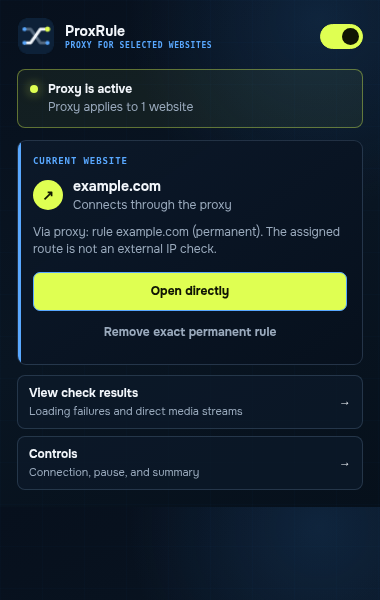
Open the tab and create a rule straight from the extension popup.
Proxy for selected websites
Add your proxy, choose the websites and see at a glance whether the current tab is using it.
Free extension for Chrome and Yandex Browser on desktop.
Only where needed
ProxRule sends only the domains you choose through the proxy. Every other website keeps its direct connection.
Open the tab and create a rule straight from the extension popup.
Know whether the current tab is using the proxy and which rule selected it.
Temporarily test related media, API or CDN hosts when part of a page does not load.
Setup
Three clear steps — no hand-written PAC file, system settings or maze of modes.
Paste the connection string from your provider or fill in the fields.
host:portOpen the tab and add its domain from the ProxRule popup.
example.comThe current-tab status should say that the website is using the proxy.
Start here
ProxRule connects to your proxy. The proxy service itself is not included in the extension.
See supported formats, authentication details and the final route check.
Open the setup guide →Choose a provider, location and an authentication method that works in your browser.
View proxy providers →Private by design
ProxRule has no account, developer backend or analytics and does not inject ads into websites. The extension does not receive your browsing history or load remote code.
Read the privacy policyBefore you start
Connection and browser-specific fixes are collected in one practical checklist.
Open troubleshootingUse a provider you trust. ProxRule does not issue free proxy addresses or choose a supplier on your behalf.
Yes. Version 1.1 is tested in Google Chrome Desktop and Yandex Browser Desktop.
Chromium does not support proxy authentication for SOCKS. SOCKS needs access without credentials, for example through an allowlisted IP. HTTP/HTTPS supports username and password.
By default, a selected website will not silently open directly around the rule. You can explicitly allow a direct fallback in advanced settings.
Ready to use
Install ProxRule, add your proxy and choose the websites that should use it.
Add to Chrome